Customer story
How we set up the QR menu for Next Level Lounge
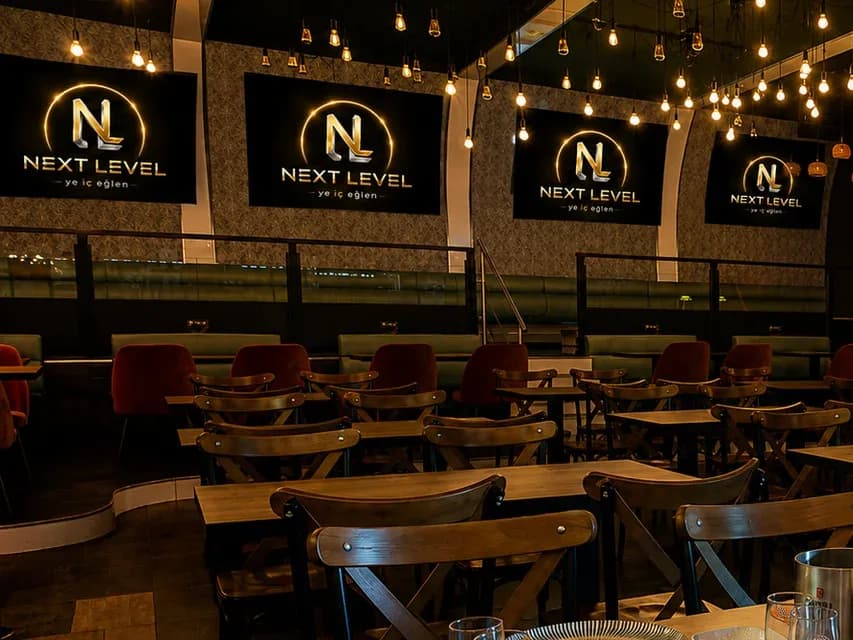
Next Level Lounge is a lounge and kitchen in Schwabach, right next to Nuremberg, open on Saturday nights. As our pilot venue, its real product list was the basis for our first QR menu setup, and you can see the result in the demo menu. This page covers what the venue needed, how we set it up and which features we used.
- Location
- Schwabach, near Nuremberg
- Venue
- Lounge & kitchen
- Opening hours
- Saturday nights, 9 pm to 3 am
- Guests' languages
- German, Turkish, and English for tourists
The venue
At Next Level, the night starts with dinner and runs late: live music, DJ sets, football nights and birthday parties. The hot kitchen stays open until 1 am. Some guests speak German, others Turkish, and tourists visiting Nuremberg drop in too.
What the venue needed
Every guest should be able to read the menu in their own language
Guests who speak German, Turkish or English share the same room. A printed menu in several languages takes up space and is quickly out of date.
No call or order should get lost on a busy night
When the room fills up on a Saturday, it gets hard to reach a server and to get each order to the right table. Calls and orders need to reach the service team at the same time.
Price changes without reprinting
With a printed menu, every price change and every sold-out dish means a new print run. The menu has to be easy to update from the panel on the same day.
The setup
Menu imported
Categories, dishes, prices, options and photos were imported into the panel from the venue's existing product list. The German and Turkish names were kept; other languages can be added in the translation centre.
Room for allergen labels
Every dish has fields for the 14 EU allergens and the additive footnotes required in Germany. They are filled in as the venue provides the details; until then, guests see a note asking them to check with staff.
Night theme chosen
To keep the menu easy to read in a dimly lit room, we chose the dark Night theme and added the venue's logo and cover image.
Table QR codes prepared
Each table gets its own QR code. Scanning it opens the menu for that table, and your stats show which table each scan came from.
Features used in this setup
All featuresWhere things stand
The menu built in this setup is live as a demo. When a price changes or a dish sells out, the QR code on the table stays the same, and guests open the menu in their phone's language.
We'll share measured results here once the venue approves them.
Let's set up your menu the same way.
Try it free for 14 days, no credit card needed. If you like, we'll do the setup with you.